A starting point.
Explore the factory presets or return to a sound you’ve saved. Switch between the Tine and Reed voices to find the character that suits your idea.
INCLUDED WITH CHORDGLASS
Tine & Reed brings two electric-piano voices to Chordglass: Rhodes-style Tine and Wurlitzer-style Reed. Start with a preset, shape the response, and find the sound you want to play. Included with Chordglass for iPhone, iPad, and Mac.
FROM A PRESET TO YOUR OWN SOUND
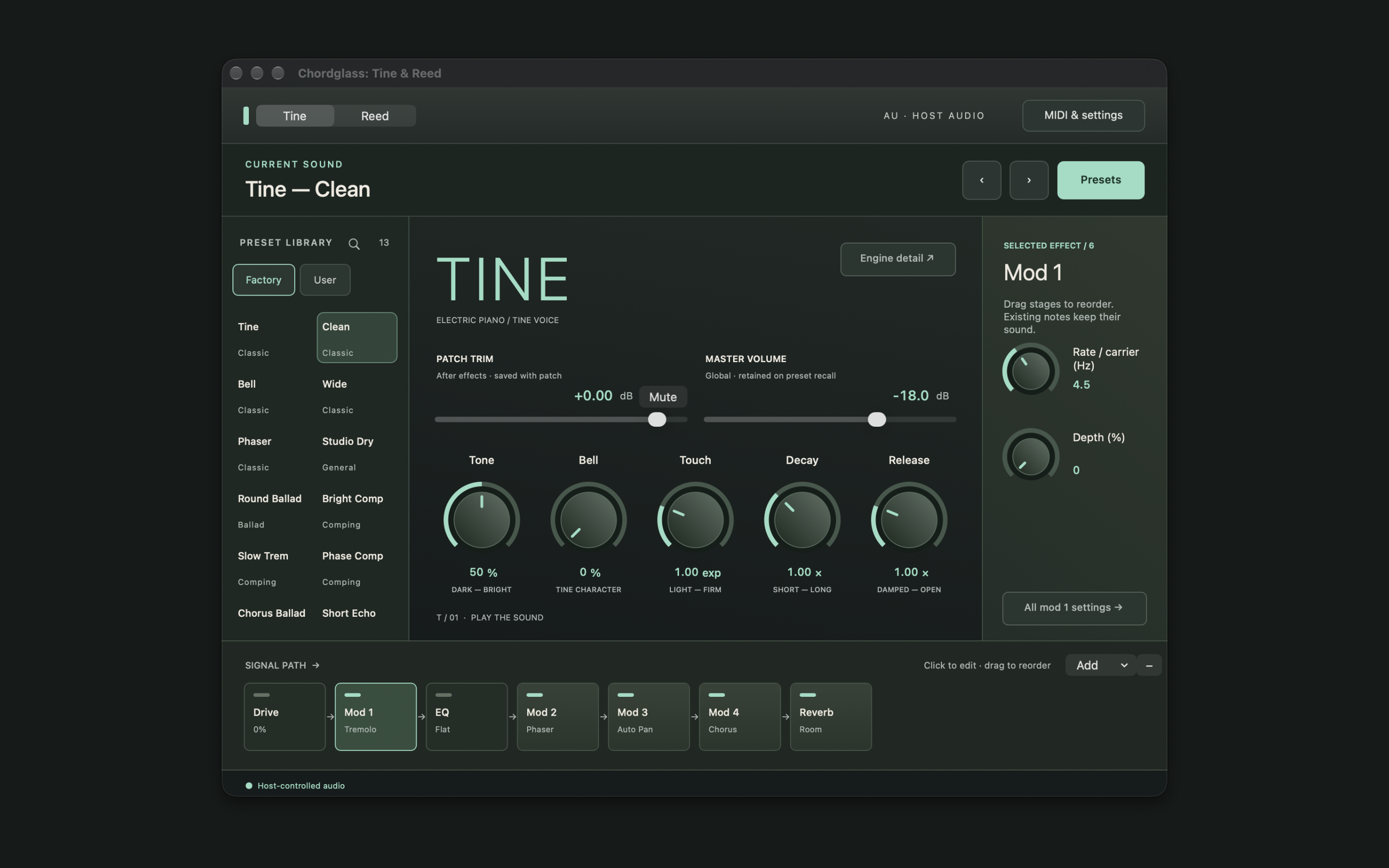
Choose Tine or Reed, then make small changes as you play. The preset browser, voice controls, and effects live together in the instrument editor.
Explore the factory presets or return to a sound you’ve saved. Switch between the Tine and Reed voices to find the character that suits your idea.
Adjust tone and touch, then set the decay and release. With Tine, the Bell control gives you another way to shape the voice.
Shape the sound with drive and EQ, or add modulation, delay and reverb. Select an effect to adjust it, and reorder stages in the signal path.
AT HOME IN CHORDGLASS
Connect a compatible MIDI keyboard, or use the touch keyboard on iPhone and iPad. Tine & Reed is bundled with Chordglass and needs no separate instrument installation. Use it while you play live or listen back to a MIDI take.
Open Settings, then Sound & MIDI, then Open instrument controls.
Use the controls button above the keys, or Open instrument controls in Sound settings.