Save the idea.
Name your session and takes. Completed takes and settings save automatically on your device. Export a .chordglass file to back up a session or move it to another device.
FROM PLAYING TO A TAKE YOU CAN REVISIT
When a phrase catches your ear, record it as MIDI. Hear it again and find the notes in the piano roll or score. Chordglass keeps your takes together so you can return to an idea after you’ve stepped away from the keyboard.
01 / KEEP YOUR IDEAS
A melody lands, but you want to try a different ending. Set the tempo and count-in, record a take, then play another. Both stay in the session so you can listen back and choose what to develop.
Name your session and takes. Completed takes and settings save automatically on your device. Export a .chordglass file to back up a session or move it to another device.
MIDI captures your timing, dynamics, and pedal movements. Play the take through the included Tine & Reed instrument, a compatible instrument, or a MIDI destination.
Loop a whole section or set the start and end by beat, including subdivisions. Pause a take to inspect its chord and notes in Live while the take is silent, then return to the keyboard to work on it.
A pickup does not have to wait for the next bar. Choose Beats in the loop settings to start on a subdivision such as the & of 4. Playback returns to the start at your chosen end position. Use Bars when you want to repeat whole bars.
02 / THE PERFORMANCE AS PLAYED
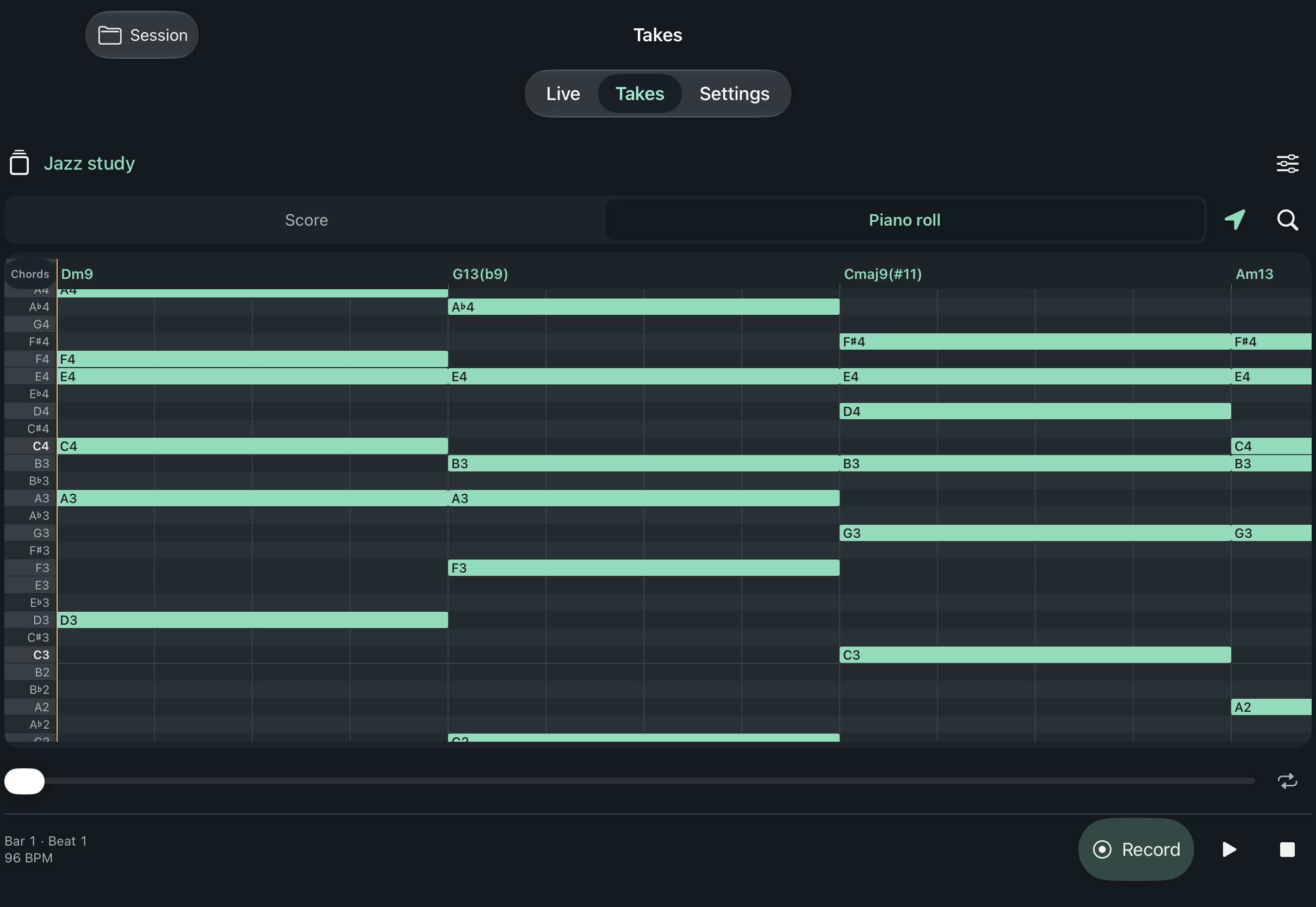
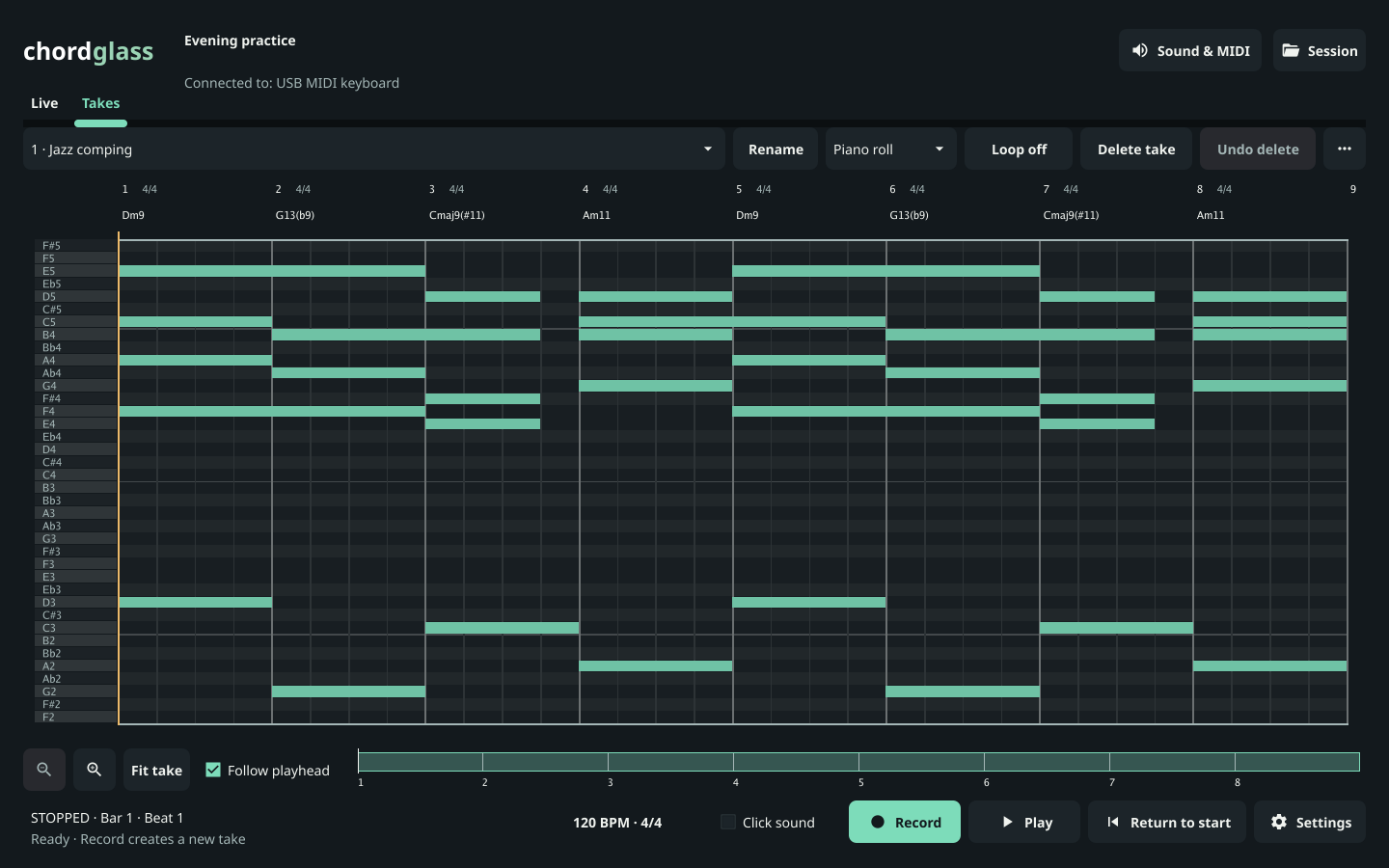
Find a chord change again by following the symbols above the piano roll. See each note’s pitch and length. Look at where notes overlap, or where you left space, while listening to the take.
On iPhone and iPad, every pitch row has a label. Scroll through the notes while the chord strip stays visible, then turn Follow back on to stay with playback.
03 / THE PERFORMANCE IN NOTATION
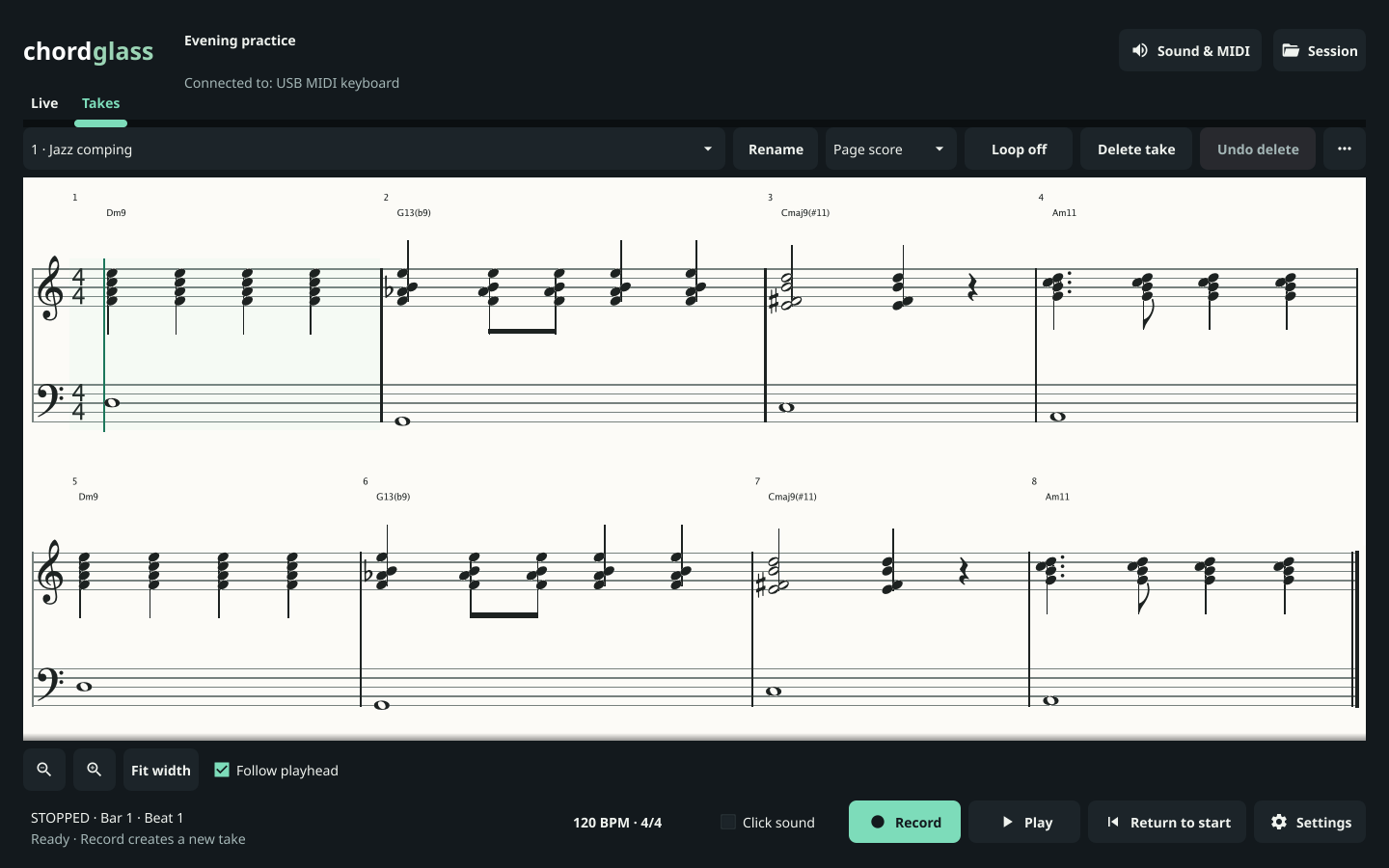
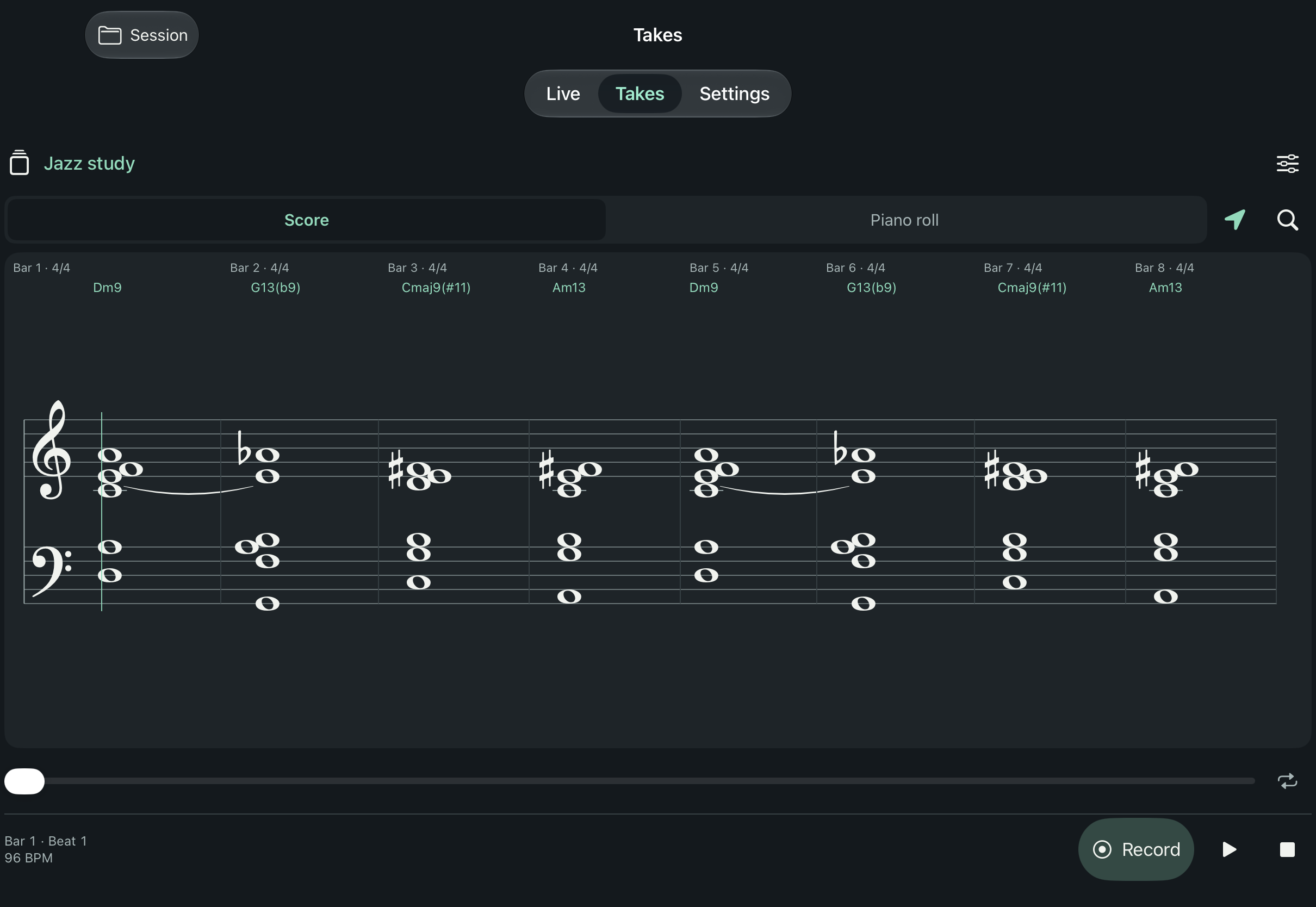
Read a written interpretation of your take on a grand staff with chord symbols. Use it to work through the phrase at the piano or discuss the notes with a student. Adjust the written rhythm without changing the timing of your recorded performance.
Browse the score and piano roll along a continuous timeline, or turn on Follow to keep playback in view. Mac also offers Page score and a separate, resizable score window.
Sessions start in C major. Choose a major or minor key for the staff, chord names, and MusicXML export. Your sounding pitches and recorded MIDI stay unchanged.
Use automatic notation or choose a written division for the whole take or selected bars. MIDI timing and playback remain unchanged.
Export MusicXML to keep working in your preferred score editor. Complex performances may need notation cleanup.
04 / KEEP GOING
Bring in a MIDI file to explore, or export a take when you’re ready to arrange it in your DAW. Use MusicXML to continue working on the notation in a score editor. A .chordglass file keeps the session’s takes and settings together.
Sessions, takes, and settings.
Move the performance to other music software.
Take the notation into a score editor.